It’s the last Friday of the month, & the finance manager is closing the books on a new Odoo system, which went live a few weeks ago. In the new system, some customer invoices from the old system do not match payments, & the warehouse team reports that the stock values in Odoo do not match last year’s report.
Nothing was lost on purpose. The team moved the data, clicked through a few screens, & marked the project done. What they missed was testing it with the latest transactions or deciding how to go back if the first week is not as acceptable as the previous ones. This is how most data migration problems start & not with technical failure.
The Odoo migration guide walks through the complete journey of data migration, how to choose the strategy & planning, and how migration is greatly effective for QuickBooks, NetSuite, Zoho, SAP, and many more.
What Is Odoo ERP Migration?
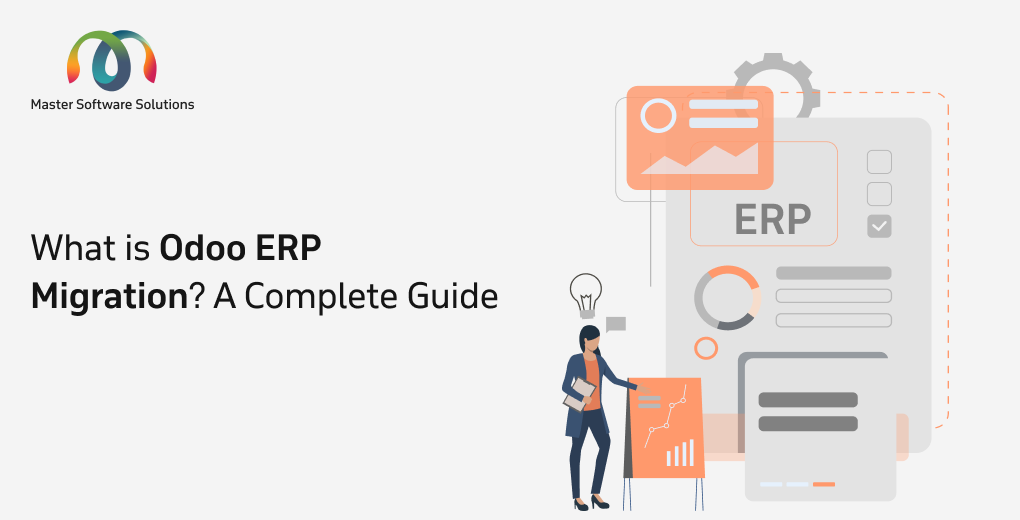
Odoo migration refers to moving your business data, applications, and configurations from an older existing system to a new Odoo environment. This involves migrating from an older version to Odoo’s newer version or from an existing system to Odoo. The process aims to leverage new features, performance, and security improvements of the newer Odoo version. It covers three different projects, & each comes with its own risk.
| Type | What it means | Main risk |
|---|---|---|
| Version upgrade | Moving an existing Odoo database to a newer Odoo version | Custom code and integrations that break |
| Legacy system to Odoo | Moving from SAP, NetSuite, Tally, an accounting tool, or spreadsheets into Odoo | Data quality, field mapping, and process fit |
| Server or platform migration | Moving Odoo between on-premises, cloud, and Odoo.sh without changing the version | Performance, access, and integration settings |
Odoo Migration Challenges
Odoo migrations slow down due to messy data, custom code, broken integrations, and weak testing and planning. Each adds rework, extends downtime, and pushes costs up. Below are the Odoo migration challenges businesses face most often.
| Challenges | What Goes Wrong |
|---|---|
| Data Complexity | Missing, duplicated, or corrupted records; broken relationships |
| Integration issues | Payment, logistics, BI, and e-commerce connections break from API and authentication changes |
| Customization Compatibility | Outdated functions and deprecated frameworks stop custom modules working |
| User Adoption | New interfaces and workflows cause frustration and lost productivity |
| Downtime | Offline periods interrupt transactions and customer service |
| Budget overruns | Hidden customization complexity, unplanned cleaning, extended testing |
| Post-Migration Performance | Slowdowns from unoptimized queries, poorly refactored code, or missing indexes |
| Legacy Surcharge | The three most recent releases add a 25% surcharge to your annual Enterprise subscription |
How Does The Odoo Migration Actually Work?
An Odoo migration works on four major things, i.e., database, custom code, business workflows, and listing. Each component has its own risks, so here are the major components to focus on:
Database migration
Bringing your data into the proper structure and logic of the new version. This includes schema changes, field mapping, & validation of customer, product, inventory, journal, and financial records.
Code migration
Code migration updates custom modules, scripts, and technical components so they run on the new version. It requires solid knowledge of Python, JavaScript, XML, APIs, and integrations.
Functional migration
This migration involves how your business processes run in the new version by updating workflows & introducing new features.
Testing
Testing includes functional, performance, integration, and user acceptance. This is the most critical stage that leads to data loss, broken workflows, or system instability.
Which Odoo Version Is the Right Target for You?
For most businesses, the right target is Odoo 19 or Odoo 20, because both sit inside Odoo’s support window. Go for Odoo 19 if you rely on heavy customizations and want a more established release. Whereas, choose Odoo 20 if you want the newest features and the longest support runway. Avoid targeting Odoo 17 or older, because Odoo supports only its three most recent versions, and enterprise subscriptions on older versions carry a 25% surcharge.
How to Choose the Right Migration Strategy
Choosing your migration strategy focuses on current and target versions, custom code, integrations, data you carry, and downtime you can accept. Choosing the right migration strategy plays a pivotal role in business success & fixes the complexities that businesses go through.
| Strategy | How it works | Best for | Main trade-off |
|---|---|---|---|
| Version-by-version | Upgrade through each release in sequence | Heavily customized systems, older versions, accuracy-critical data | It takes longer and is a costly effort |
| Parallel | Old and new systems run side by side for a set period | Large or mission-critical operations that cannot afford downtime | Higher infrastructure and operating cost |
| In-place | Upgrade directly in the existing environment | Small databases, minimal customization, short downtime acceptable | Fewer rollback options & greater risk |
| Selective data | Move only relevant data | Teams that want a fresh start and a lighter database | Needs a careful data audit and retention policy |
| Hybrid | A safe method for core modules and selective handling | Large, customized environments with strict continuity need | More planning and coordination |
Five factors that decide the strategy
- Version gap.
- Customization and integration complexity.
- Data volume and complexity.
- Downtime tolerance.
- Budget and timeline.
Tools you can use
- Odoo’s official upgrade service. Available for enterprise customers and reliable for core data, but it does not handle complex custom modules.
- OpenUpgrade and other third-party tools. Most common choice for Community editions and heavily customized systems.
- Automation and custom scripts. Useful for repetitive tasks such as validation, module updates, and deployment, especially on large databases.
Benefits of Odoo ERP Migration
Odoo ERP migration offers various benefits for businesses, whether you are upgrading the existing Odoo version or moving from some other platform. The benefits of Odoo ERP migration include:
Enhanced performance
Odoo’s latest version comes with significant performance enhancements, improved loading time, smooth navigation & quicker task processing.
Access to new features
Odoo releases new features with every latest version to streamline operations, automate processes, and gain a competitive edge.
Improved user experience
The Odoo platform is user-friendly & intuitive to use, as migration provides a more modern and efficient working environment focused on user adoption.
Seamless integrations
Newer Odoo versions enhance integrations, ensuring smooth data flow and better collaboration across different departments.
Scalability and flexibility
Scalability & reliability are another concern that needs to be addressed in the new version. Migrating to a newer version ensures that your Odoo system remains scalable and adaptable.
Enhanced security
Odoo updates hold crucial security patches, protecting your business data from potential vulnerabilities and ensuring compliance with the latest security standards.
Staying competitive
Using an outdated system can put you at a disadvantage. Migrating to the latest Odoo version leverages modern technology to optimize your operations and stay competitive.
Odoo Migration Process (From an Older Odoo Version to a Newer Version)
Here, we’ll discuss the migration process for businesses already using Odoo that want to upgrade their existing system to the latest version.
Planning and analysis
Define your objectives, assess compatibility, choose a strategy, and conduct data audits.
Preparation
Back up your existing system, set up the new environment, install the base module, and prepare custom modules.
Migration
Migrate data using Odoo upgrade scripts or other methods and custom modules.
Testing
Conduct thorough testing for functional, custom module, integration, user acceptance, and performance.
Deployment and go-live
Get the final backup and switch to a new environment. Continuously monitor the system post-migration.
Post-migration activities
User training, ongoing support, and maintenance.
Odoo Migration Process (From Legacy to Odoo)
The Odoo legacy system migration involves moving from a non-Odoo system (or multiple systems) to a fresh Odoo implementation. This process includes:
Plan and define project scope
Define your objectives and the scope for the Odoo ERP migration project. Understand the structure and data of your existing system. Map the Odoo modules to determine which ones replace your current systems & identify necessary customizations and integrations needed.
Prepare for migration
Extract data from your current system in a suitable format. Cleanse and transform data into the format needed for Odoo migration. Install and configure the chosen Odoo version. Install standard, third-party, or custom modules. Set initial configurations, user roles, and access rights.
Migration, customization, & integrations
Import clean and transformed data into the apt Odoo module using tools such as Odoo’s import functionality or a custom script. Develop and implement required custom modules or modifications.
Testing the migration
Use various testing methodologies for thorough testing via unit testing, integration testing, User Acceptance Testing (UAT), end-to-end testing, and performance testing.
Deploy and go-live
Perform a final migration if needed. This is done if any changes are made in the old system during the testing phase. Launch the new Odoo environment and provide immediate support for users.
Post-migration
Train users on the Odoo system and workflows. Provide ongoing support, monitor system performance, and make required changes or optimizations.
How To Test & Go Live Safely
To go live safely, test your migrated Odoo system with real, recent business transactions, and keep a tested rollback plan ready.
| Test type | What it checks | Example |
|---|---|---|
| Data validation | Records moved completely and correctly | Customer, vendor, and product counts match the old system, and open invoices and stock values reconcile |
| Functional testing | Standard and custom workflows still work | Quote to invoice, purchase to receipt, manufacturing order to delivery |
| Integration testing | Connected systems still exchange data | Payment gateway, shipping, e-commerce store, and BI tools |
| Performance testing | The system holds up under real load | Reports, searches, and imports run at normal speed with real data volumes |
| User acceptance testing (UAT) | Your team can do their daily work | Finance closes a test month, and the warehouse runs a full receiving and picking cycle |
Did the Migration work? Your post-go-live Checklist
Migration works when numbers reconcile & integrations run without errors. Check all the stages, i.e data accuracy, integration, user access, errors, Finance, inventory, report, performance, adoption & cleanup.
Migrating From Other Platforms: Zoho, QuickBooks, Xero, NetSuite
Most of the Migration stages are applied to every source system. The major difference is the data model & mapping issues. SAP, Oracle, NetSuite, Tally, Zoho Books, QuickBooks, Xero, spreadsheets, and custom in-house applications are typical sources.
How to Migrate from Zoho to Odoo
Most companies don’t leave Zoho Books because it’s not worth it; they leave because they’ve outgrown it. The most common triggers we see as an Odoo Zoho migration service provider in the USA market and beyond:
Scalability Limits
Zoho Books limits users, transactions, and workflows depending on your plan tier. Odoo Community Edition has no user limit, and Odoo Enterprise lets you add users as you grow, with pricing based on the number of users
Fragmented Apps
Zoho’s ecosystem integrates your data into Books, Inventory, CRM, and People. Odoo unifies everything in a single database, with no sync issues or duplicate records.
Deeper Accounting Features
Odoo Accounting supports multi-company consolidation, multi-currency revaluation, automated bank reconciliation, analytic accounting, and localized fiscal packages for 80+ countries.
Customization Freedom
As an open-source platform, Odoo lets you tailor workflows, reports, and modules, so you aren’t limited to the customization options of a closed SaaS product.
True ERP Capability
An Odoo ERP migration brings inventory, manufacturing, eCommerce, and HR under the same roof as your books.
How to Migrate from QuickBooks to Odoo
QuickBooks to Odoo migration is the process of moving the chart of accounts, customers, vendors, open invoices, and history into Odoo.
Depending on your workflow, the sync can be:
- One-way: Odoo pushes invoices and payments into QuickBooks (most common).
- Two-way: Changes in either system update the other.
- Scheduled or real-time: Batched nightly syncs or instant updates via webhooks
The integration is typically built using Odoo API integration, Odoo’s XML-RPC/JSON-RPC APIs on one side, and the QuickBooks Online API on the other. You can review the technical capabilities in the official Odoo external API documentation and the QuickBooks Online API developer docs.
Migration From Xero to Odoo
Xero is another competitor to QuickBooks Online. It is cloud-based, accountant-friendly, and designed on the same core idea. Rather than QuickBooks, it is simple bookkeeping that contains the specific details that growing businesses notice.
Businesses migrating from Xero typically consolidate 4-8 separate subscriptions into one Odoo instance, eliminating data sync issues and reducing total software cost. The migration also provides capabilities Xero simply cannot offer, including multi-warehouse inventory with barcode scanning, full manufacturing with BOMs and work orders, and advanced project accounting with profitability analysis.
Migration From NetSuite to Odoo
Moving from NetSuite to Odoo means rebuilding how your business runs in a new structure. The data moves in stages, but NetSuite’s custom fields, workflows, and reports are rebuilt as Odoo configuration or modules. Before you start planning the move, compare the two platforms side by side.
Renewal pricing increases
When renewal quotations continue to rise, companies begin comparing their annual expenditures with the cost of a system they can budget for.
Per-module pricing
Odoo’s app-based strategy allows you to start small and add exactly what you need, but adding modules or users one at a time makes the overall cost difficult to forecast.
Professional services contracts going long
Improvements and modifications that need paid consultation hours cause projects to run over budget and schedule.
SuiteScript customisation lock-in
Years of custom scripts bind the company to a single platform and specialized developers, making even minor changes costly and time-consuming.
Multi-currency and multi-subsidiary at smaller scale
Odoo manages multi-company and multi-currency in the same core, but mid-sized businesses with a few entities or currencies frequently pay for enterprise-level structures they only partially use.
Functional ceilings on lower NetSuite editions
Teams using entry-level editions may reach feature limitations, in which case they will need to pay for add-ons or a higher tier to obtain the necessary capabilities.
How Much Does Odoo ERP Migration Cost?
The estimated cost of an Odoo migration depends on your business size, customizations, data complexity, and integration needs.
Budgeting carefully matters because the stakes are high. Gartner predicts that more than 70% of recently implemented ERP initiatives will fail to fully meet their original business case goals by 2027. A clear cost estimate up front, covering data cleanup, customization rework, integrations, testing, and training.
The estimated cost of an Odoo migration depends on your business size, customizations, data complexity, and integration needs, including:
Small business/basic migration
For companies with few users, minimal custom modules, and standard processes, migration costs typically fall between $3k and $20k. It covers the core module migration, basic data transfer, and standard workflow validation.
Mid-size companies/moderate complexity
For businesses with moderate customization, several third-party integrations, complex workflows, and rigorous testing requirements. They may range between $20k and $75k, which includes custom module adaptation, moderate data cleanup, integration reconfiguration, and more extensive testing.
Large enterprises/high complexity
For organizations with heavy custom code, multiple integrations, complex workflows, and rigorous testing requirements. It ranges from $75k to $150k, covering full customization, refactoring, advanced integrations, multi-company setup, and extended support.
What does it cost to wait?
Migration is not the only cost to plan for. Since April 2026, Odoo charges an extra 25% on the annual Enterprise subscription for versions outside the three most recent releases. This applies to Enterprise contracts signed or renewed after Odoo’s July 2025 terms update.
Which Mistakes Cause Odoo Migrations to Fail & How Do You Avoid Them?
Migrating to a new version of Odoo can bring major improvements to your business operations, performance, and user experience.
Not setting clear goals
This is one of the most common and costly mistakes during an Odoo migration, which can turn a meaningful upgrade into a simple system copy. This can lead to unnecessary features, longer timelines, higher costs, and a system that does not fully support business needs.
Migrating unnecessary data
Migrating unnecessary data increases the complexity, cost, and risk of an Odoo migration. Over time, ERP systems accumulate outdated records, duplicate entries, inactive customers, old transactions, and unused products.
Ignoring data cleanup
If incorrect, incomplete, or duplicate data is migrated, these issues will persist and frequently manifest after going live.
Skipping thorough testing
Without proper testing, issues such as broken workflows, incorrect data, system errors, and inaccurate reports may only be discovered when users start working in the system.
Underestimating time and effort
Underestimating the time and effort required for an Odoo migration is a frequent mistake that can lead to rushed implementations, missed requirements, and quality issues.
Lack of post-migration support
Lack of post-migration support is critical because even after thorough testing, issues often arise once users begin working in the live system.
How to Choose an Odoo ERP Migration Partner?
Choose an Odoo migration service that has migrated systems like yours, shows how it tests and rolls back, and puts its scope and support terms in writing. A migration touches your data, code, and daily operations, so the partner’s process matters more than its price.
- Odoo Silver partner: Officially recognized by Odoo for implementation experience.
- Odoo expertise and skills: Deep knowledge of Odoo modules, versions, and upgrade paths.
- Python proficiency: Odoo runs on Python, so custom code is reworked correctly.
- Industry knowledge: Your workflows are mapped to how your business actually runs.
- Technical and functional expertise: One team covers both the system and the business side.
Conclusion
A successful Odoo migration is the result of a few things done in order: a strategy matched to your risk and downtime tolerance, a plan with a clear finish line, clean and reconciled data, code that has been reviewed and rebuilt where needed, tests built around real business work, and a go-live backed by a tested way back. The technical steps matter, but the decisions around them decide the outcome: who owns each area, how much history to bring, what “correct” means, and when to roll back.
Master Software Solutions is the Odoo Silver Partner headquartered in Toronto, Canada. We offer end-to-end Odoo ERP services that help you with the seamless Odoo migration process. Whether you are migrating from a legacy system to Odoo or from an older Odoo version to a newer version, we can assist you.